How trycua/cua Solves Safety and Testing for Desktop Automation Agents
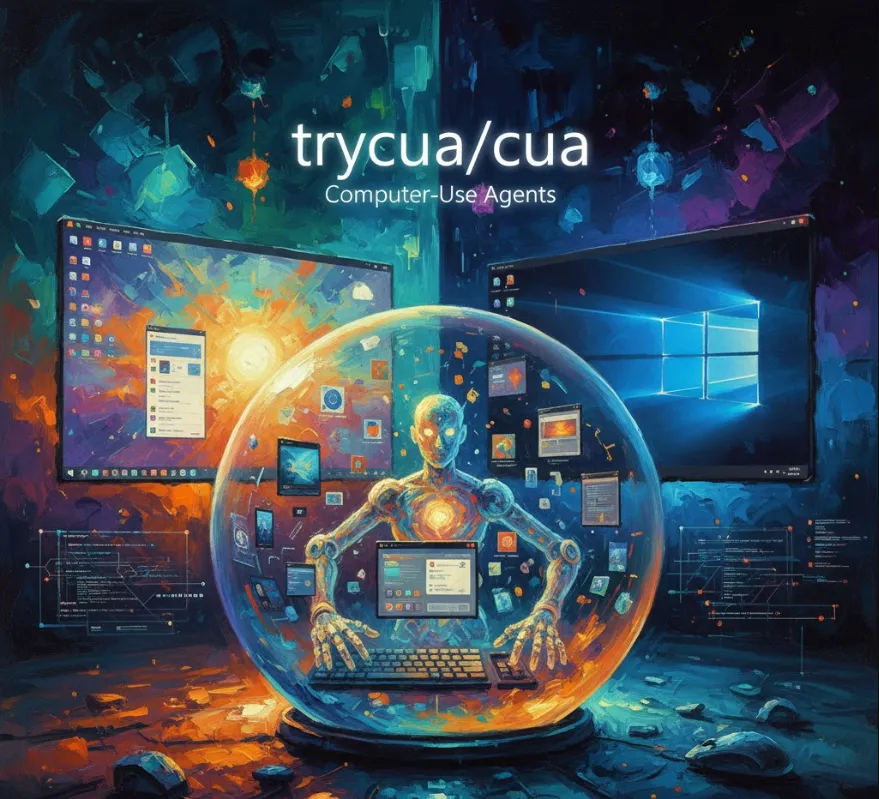
Let's break down what c/ua is, how it can be useful for you, and how to get started.
The simplest way to understand c/ua is that it's "Docker for Computer-Use Agents."
Just like Docker lets you run applications in isolated containers, c/ua creates sandboxed, virtual environments where an AI agent can fully control an operating system (like macOS, Linux, or Windows) without risking your host machine.
The framework essentially combines three powerful ideas
Secure Sandboxing (Lume)
It uses high-performance virtualization (specifically Apple's Virtualization.Framework on Apple Silicon) to run a desktop OS in a lightweight VM. This is crucial for security—the agent can click, type, and navigate, but if it makes a mistake or an exploit occurs, it's trapped in the safe sandbox, protecting your host system and data.
Agent SDK (Python)
This is the developer-friendly layer. It provides a consistent interface to connect various Large Language Models (LLMs)—like those from OpenAI, Anthropic, or even local ones like Ollama—to the virtualized desktop environment.
Benchmarks & Datasets
It includes tools and standard benchmarks (like OSWorld-Verified) to help you rigorously train, evaluate, and compare the performance of your agents.
From a software engineer's perspective, c/ua is a powerful piece of infrastructure that solves major problems in developing and testing autonomous agents.
| Problem | c/ua Solution | Engineering Benefit |
| Security & Safety | Agents run in lightweight, sandboxed VMs. | You can safely develop and test powerful agents that interact with native desktop apps (e.g., Photoshop, Excel, Tableau) without fear of them accidentally deleting files or leaking credentials on your host system. |
| Performance | Near-native CPU speed (up to 97% on Apple Silicon) via Lume virtualization. | Your agent training and execution are fast and efficient, allowing for quicker iteration and deployment. |
| Consistency & Interoperability | Provides a standard Agent SDK and consistent state-action schema. | You can swap out different LLMs and UI grounding models with a single line of code, simplifying experimentation and model deployment. |
| Evaluation & Comparison | Includes tools and support for standardized benchmarks (OSWorld, SheetBench). | You can objectively measure your agent's performance against the latest state-of-the-art models, which is essential for research and production readiness. |
| Data Collection | Tools like AgentNetTool (part of the ecosystem) help capture human computer-use demonstrations. | You can easily collect high-quality data to train your own custom, domain-specific Computer-Use Agents. |
In short, it's the professional-grade infrastructure you need to move a CUA from a fascinating prototype to a secure, testable, and deployable production system.
Since c/ua has multiple components (VMs, Python SDK), here is a streamlined look at how you might typically get the core agent framework up and running using Python.
The core agent framework is available via pip. It's recommended to install with the [all] extras to get all dependencies.
# It's always a good idea to use a virtual environment
python3 -m venv cua_env
source cua_env/bin/activate

# Install the core agent SDK and all dependencies
pip install "cua-agent[all]"
Note: If you're using macOS and want the high-performance VM layer, you would also need to install the Lume component, typically via a shell script provided in their GitHub repository.
The cua Agent SDK lets you define a task and have a model-powered agent execute it within a secure environment.
In this simplified example, we'll demonstrate how you could use the SDK to instruct an agent to perform a task inside a virtual environment (assuming the environment is set up and running).
from cua_agent.agent import ComputerAgent
from cua_agent.action import Action

# 1. Initialize the Computer Agent
# You can specify the model you want to use.
# For example, using a placeholder model for demonstration.
# In a real scenario, this would be an API key or a local model path.
agent = ComputerAgent(model="your-preferred-cua-model")

# 2. Define the task
task_instruction = "Open the 'Notes' application, create a new note, and type the text 'Hello CUA World!'"

print(f"Agent starting task: '{task_instruction}'")

# 3. Start the execution loop
# The 'agent.run_task' handles the interaction with the virtual screen
# (getting screenshots, sending actions like click/type/scroll).
result = agent.run_task(task_instruction=task_instruction, max_steps=20)

# 4. Analyze the result
if result.success:
    print("\n--- Task Complete! ---")
    print(f"Final Status: {result.status_message}")
    print(f"Total Steps: {len(result.steps)}")
else:
    print("\n--- Task Failed ---")
    print(f"Failure Reason: {result.status_message}")

# You can also inspect the steps the agent took:
# for step in result.steps:
#     print(f"Step {step.step_number}: Agent Action: {step.action_type}")
The agent.run_task() function abstracts the core "sense-think-act" loop of an AI agent
Sense
The SDK captures the current screenshot and other UI information from the sandboxed VM.
Think
This visual/UI data is sent to the ComputerAgent (your LLM/CUA model), along with the task instruction. The model determines the best next action (e.g., click(x=100, y=50)).
Act
The SDK translates that action into a command that is executed inside the VM.
Repeat
The loop continues until the task is complete or the maximum steps are reached.