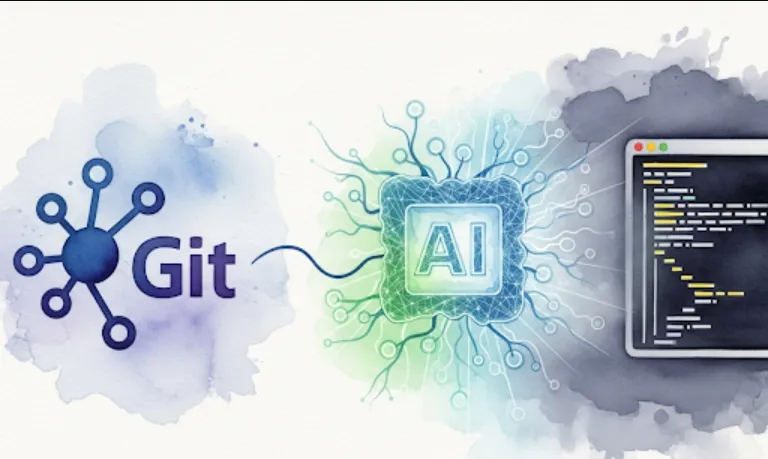
Bridging the Gap: Software Engineering to AI Development

The ai-engineering-hub repository is a great resource for software engineers looking to dive into the world of AI and machine learning. It's essentially a collection of tutorials and examples that teach you how to build real-world AI applications.
As a software engineer, you're likely familiar with building software systems and applications. This repository helps you bridge your existing skills with the new and rapidly evolving field of AI. Here's how it's particularly useful
Practical, Hands-on Learning
Instead of just theoretical concepts, the repository focuses on building things. This is perfect for engineers who learn by doing. You'll find tutorials on practical topics like creating Large Language Models (LLMs), building Retrieval-Augmented Generation (RAG) systems, and developing AI agents.
Real-World Applications
The content is geared towards solving actual problems. You won't just learn how a model works; you'll learn how to integrate it into a larger application, how to handle data, and how to create a useful, functional product.
Accelerated Learning
The tutorials are designed to be in-depth, which means you can get up to speed quickly on complex topics. It saves you from having to piece together information from dozens of different sources.
Getting started with this repository is straightforward. The typical process would look something like this
Clone the Repository
First, you'll need to get a local copy of the code. You can do this by opening your terminal or command prompt and running the following command
git clone https://github.com/patchy631/ai-engineering-hub.git
Navigate into the Directory
Move into the newly created directory.
cd ai-engineering-hub
Explore the Contents
Look through the folders to see what kind of tutorials are available. You'll likely find directories for different topics, like llm_tutorials, rag_applications, or ai_agents.
Follow a Tutorial
Pick a tutorial that interests you. Each tutorial will likely have a README.md file with instructions on how to set up the environment, install dependencies, and run the code. You'll probably need to create a Python virtual environment and install some libraries.
# Example: Setting up a virtual environment and installing dependencies
python3 -m venv venv
source venv/bin/activate
pip install -r requirements.txt
Let's imagine you find a tutorial on building a simple LLM application. Here's a hypothetical example of what the code might look like. This code would use a library like Hugging Face or LangChain to interact with a pre-trained model.
# A hypothetical example from a tutorial
import os
from langchain.llms import OpenAI
from langchain.chains import LLMChain
from langchain.prompts import PromptTemplate

# Make sure you have your API key set up as an environment variable
# os.environ["OPENAI_API_KEY"] = "your_api_key_here"

# Define the model to use
llm = OpenAI(model_name="text-davinci-003", temperature=0.7)

# Define the prompt template
prompt = PromptTemplate(
    input_variables=["product"],
    template="What is a good name for a company that makes {product}?",
)

# Create the chain to link the prompt and the LLM
chain = LLMChain(llm=llm, prompt=prompt)

# Run the chain to get a response
product = "colorful socks"
response = chain.run(product)

print(f"Product: {product}")
print(f"Suggested company name: {response}")

# The output might be something like:
# Suggested company name: "Vibrant Soles" or "Chromatic Threads"
This kind of sample code is what makes the repository so valuable. You can see a complete, working example that you can modify and experiment with to understand the concepts.