Automating Secret Syncs from AWS Secrets Manager to Kubernetes
external-secrets/external-secrets
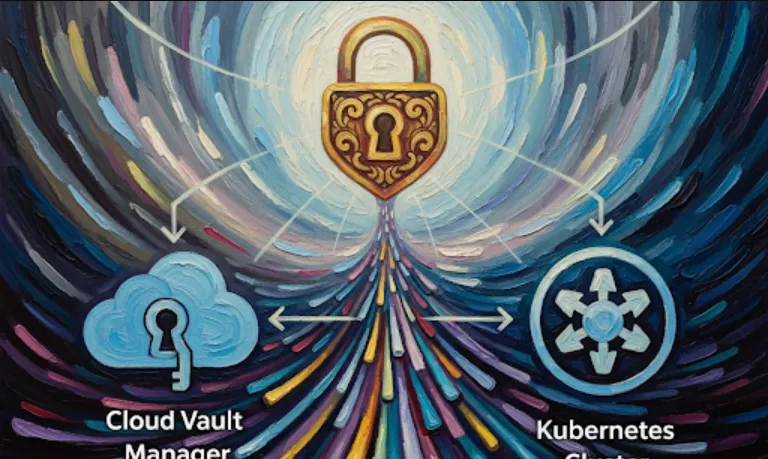
Basically, External Secrets Operator is a tool that helps you manage secrets in Kubernetes without having to store them directly in your cluster. This is a big deal because storing sensitive data like API keys, database passwords, and tokens directly in Kubernetes Secrets can be risky. You don't want those values sitting in your Git repository or accessible to anyone who has access to the cluster's configuration.
Instead, this operator lets you use a dedicated secret management service, like AWS Secrets Manager, Google Secret Manager, or HashiCorp Vault. These services are built specifically for securely storing and managing secrets.
Here's why it's so helpful from a software engineering perspective
Improved Security
Your secrets are no longer "at rest" in your Kubernetes cluster's configuration. They're safely stored in a professional secret management system. This reduces the risk of accidental exposure.
Centralized Management
You manage all your secrets in one place, the secret management service. This makes it easier to handle things like secret rotation, access control, and auditing. You don't have to update a bunch of different Kubernetes manifests whenever a secret changes.
Automation
The operator automatically synchronizes the secrets from your external service into your Kubernetes cluster. When a secret is updated in the external service, the operator detects the change and updates the corresponding Kubernetes Secret. This is a game-changer! No more manual updates or tedious scripting.
Reduced Boilerplate
You can avoid having to write custom scripts or complex CI/CD pipelines to inject secrets into your applications. The operator handles all of that for you.
Getting started with External Secrets Operator is pretty straightforward. You'll need to install it in your Kubernetes cluster and then configure it to connect to your secret management service.
The easiest way to install it is by using Helm, the package manager for Kubernetes.
# Add the external-secrets Helm repository
helm repo add external-secrets https://charts.external-secrets.io
helm repo update

# Install the operator in the 'external-secrets' namespace
helm install external-secrets \
  external-secrets/external-secrets \
  -n external-secrets \
  --create-namespace
This command installs the operator and all its necessary components into your cluster.
Once the operator is installed, you need to tell it where to find your secrets. This is done using a SecretStore or ClusterSecretStore custom resource. The ClusterSecretStore is for cluster-wide use, while SecretStore is namespaced.
Here's an example of a ClusterSecretStore for AWS Secrets Manager. Note that you would need to have IAM permissions set up for the operator to access the secrets.
apiVersion: external-secrets.io/v1beta1
kind: ClusterSecretStore
metadata:
  name: aws-secrets-manager-store
spec:
  provider:
    aws:
      service: SecretsManager
      region: us-west-2
      auth:
        jwt:
          serviceAccountRef:
            name: external-secrets
            namespace: external-secrets
This configuration tells the operator to use AWS Secrets Manager in the us-west-2 region and to authenticate using the service account associated with the operator.
Now for the fun part! Once you have a SecretStore configured, you can create an ExternalSecret custom resource. This resource is what actually tells the operator to fetch a secret and create a Kubernetes Secret from it.
Here’s a simple example
apiVersion: external-secrets.io/v1beta1
kind: ExternalSecret
metadata:
  name: my-app-db-secret
spec:
  refreshInterval: 1m
  secretStoreRef:
    name: aws-secrets-manager-store
    kind: ClusterSecretStore
  target:
    name: my-app-db-secret # The name of the Kubernetes Secret to be created
  data:
  - secretKey: username  # The key in the final Kubernetes Secret
    remoteRef:
      key: my-app/database-credentials # The name of the secret in AWS Secrets Manager
      property: username # The key within the secret's value
  - secretKey: password
    remoteRef:
      key: my-app/database-credentials
      property: password
In this example, the operator will
Look for a secret named my-app/database-credentials in AWS Secrets Manager.
Extract the username and password properties from that secret.
Create a Kubernetes Secret named my-app-db-secret with the keys username and password and their corresponding values.
It will do this every 1 minute (refreshInterval). If the secret in AWS is updated, the Kubernetes Secret will also be updated automatically.