Demystifying LLMs: A Software Engineer's Deep Dive into datawhalechina/happy-llm
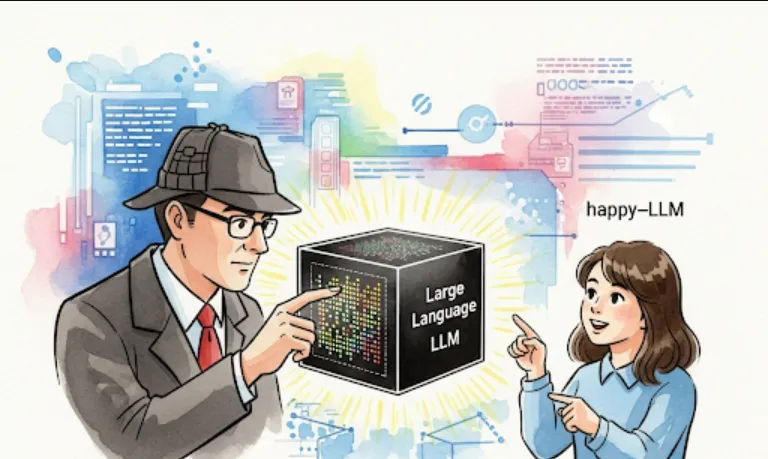
Let's dive into datawhalechina/happy-llm from a software engineer's perspective. This repository looks incredibly useful, especially if you're keen on understanding and implementing Large Language Models (LLMs) from the ground up.
This repository, titled "从零开始的大语言模型原理与实践教程" (A Tutorial on the Principles and Practices of Large Language Models from Scratch), is essentially a comprehensive guide to understanding, building, and utilizing LLMs. The tags [agent, rag, llm] give us a good hint about its core focus
LLM (Large Language Model)
This is the fundamental topic. You'll learn about the architecture, training, and deployment of LLMs.
Agent
This suggests that the tutorial likely covers how LLMs can act as intelligent agents, capable of reasoning, planning, and executing tasks. This often involves connecting LLMs with external tools or APIs.
RAG (Retrieval Augmented Generation)
A crucial technique to enhance LLM performance. RAG allows LLMs to retrieve information from a knowledge base before generating a response, leading to more accurate and up-to-date answers, especially for domain-specific queries.
As a software engineer, this repository offers a wealth of benefits
Deep Understanding of LLMs
Instead of just using LLM APIs as black boxes, you'll gain a foundational understanding of how they work. This knowledge is invaluable for debugging, optimizing, and customizing LLM-powered applications.
Practical Implementation Skills
The "从零开始" (from scratch) aspect means you'll likely get hands-on experience with implementing various LLM components, from basic neural network structures to more complex architectures. This builds practical coding skills in AI/ML.
Building Intelligent Agents
Understanding how to create LLM-powered agents opens up possibilities for automating complex workflows, building sophisticated chatbots, or developing autonomous systems. Imagine an LLM agent that can book flights, summarize documents, and interact with various APIs!
Implementing RAG Systems
RAG is becoming a standard for enterprise-level LLM applications. Learning to implement RAG allows you to build LLM solutions that are more reliable, factual, and less prone to "hallucination," by grounding their responses in real data.
Staying Current with AI Trends
LLMs are at the forefront of AI. By diving into this repository, you're investing in your skills and staying competitive in the rapidly evolving tech landscape.
Troubleshooting and Optimization
When you understand the underlying mechanisms, you're much better equipped to identify bottlenecks, troubleshoot issues, and optimize the performance of your LLM applications.
Typically, for a Python-based machine learning project like this, the setup process will involve these steps
Clone the Repository
First, you'll need to get the code onto your local machine.
git clone https://github.com/datawhalechina/happy-llm.git
cd happy-llm
Create a Virtual Environment (Recommended)
It's always a good practice to create a virtual environment to manage dependencies and avoid conflicts with other Python projects.
python -m venv venv
# On Windows:
# .\venv\Scripts\activate
# On macOS/Linux:
source venv/bin/activate
Install Dependencies
The repository will likely have a requirements.txt file listing all the necessary libraries.
pip install -r requirements.txt
Self-correction: If there isn't a requirements.txt right at the root, check within subdirectories or for a setup.py file. The documentation within the repository will be your best friend here!
Explore the Contents
Once installed, take some time to browse the directories. You'll likely find
notebooks/
Jupyter notebooks demonstrating concepts and code. These are often the best starting point for tutorials.
src/ or modules/
Core code implementations.
data/
Sample datasets used for training or demonstration.
docs/
Documentation files (likely in Chinese, but code is universal!).
Since I don't have direct access to the specific files within datawhalechina/happy-llm, I'll provide a conceptual example of what you might find, particularly related to RAG, as it's a common and practical application.
Let's imagine a simplified RAG system. The core idea is
Index Documents
Convert your knowledge base documents into a searchable format (embeddings).
Retrieve Relevant Chunks
Given a user query, find the most relevant document chunks from your indexed knowledge base.
Augment LLM Prompt
Add the retrieved chunks to the LLM's prompt.
Generate Response
The LLM generates a response based on the augmented prompt.
Here's how a simplified RAG process might look in Python (using hypothetical libraries you might find or implement in happy-llm)
# Hypothetical example - not actual code from happy-llm, but illustrates the concept.
# You would likely find more sophisticated implementations within the repository.

from transformers import AutoTokenizer, AutoModelForCausalLM
from sklearn.metrics.pairwise import cosine_similarity
import numpy as np

# --- 1. Load Pre-trained LLM and Tokenizer ---
# happy-llm might guide you on fine-tuning or even training a small LLM from scratch.
# For demonstration, we'll use a pre-trained model.
model_name = "mistralai/Mistral-7B-Instruct-v0.2" # Or a smaller model for local testing
tokenizer = AutoTokenizer.from_pretrained(model_name)
llm_model = AutoModelForCausalLM.from_pretrained(model_name)

# --- 2. Create a Simple Knowledge Base (and simulate embeddings) ---
# In a real RAG system, you'd use an embedding model (e.g., from sentence-transformers)
# and a vector database (e.g., Faiss, Pinecone, ChromaDB)
knowledge_base = {
    "doc1": "The capital of France is Paris. Paris is known for the Eiffel Tower.",
    "doc2": "The Amazon rainforest is the largest tropical rainforest in the world.",
    "doc3": "Python is a popular programming language for AI and machine learning.",
    "doc4": "Datawhale China provides open-source learning resources for AI.",
}

# Simulate document embeddings (in reality, these would be high-dimensional vectors)
# This is where happy-llm might show you how to generate actual embeddings.
doc_embeddings = {
    "doc1": np.array([0.1, 0.2, 0.3]),
    "doc2": np.array([0.8, 0.7, 0.6]),
    "doc3": np.array([0.3, 0.4, 0.5]),
    "doc4": np.array([0.9, 0.1, 0.2]),
}
# (These are just illustrative, random numbers for demonstration purposes)


# --- 3. Function to Retrieve Relevant Information ---
def get_query_embedding(query_text):
    # In a real system, you'd use the same embedding model as for documents
    # For simplicity, let's just create a dummy embedding
    return np.array([0.2, 0.3, 0.4]) # Placeholder for a real query embedding

def retrieve_info(query, knowledge_base, doc_embeddings, top_k=2):
    query_embedding = get_query_embedding(query)
    similarities = {}
    for doc_id, emb in doc_embeddings.items():
        # Using cosine similarity to find the most relevant documents
        similarities[doc_id] = cosine_similarity(query_embedding.reshape(1, -1), emb.reshape(1, -1))[0][0]

    # Sort by similarity and get top_k documents
    sorted_docs = sorted(similarities.items(), key=lambda item: item[1], reverse=True)
    retrieved_chunks = [knowledge_base[doc_id] for doc_id, _ in sorted_docs[:top_k]]
    return " ".join(retrieved_chunks)

# --- 4. Augment and Generate ---
def generate_response_with_rag(user_query, llm_model, tokenizer, knowledge_base, doc_embeddings):
    retrieved_context = retrieve_info(user_query, knowledge_base, doc_embeddings)

    # Construct the augmented prompt
    prompt = (
        f"You are a helpful AI assistant. Use the following information to answer the question:\n\n"
        f"Context: {retrieved_context}\n\n"
        f"Question: {user_query}\n\n"
        f"Answer:"
    )

    inputs = tokenizer(prompt, return_tensors="pt")
    # For simplicity, using generate. In reality, you'd handle attention masks, max_new_tokens etc.
    outputs = llm_model.generate(**inputs, max_new_tokens=100, num_return_sequences=1)
    response = tokenizer.decode(outputs[0], skip_special_tokens=True)

    # Post-process to remove the input prompt from the generated response
    # This part can be tricky and depends on the LLM's generation behavior
    if response.startswith(prompt):
        response = response[len(prompt):].strip()

    return response

# --- Example Usage ---
user_question = "What is Python used for?"
response = generate_response_with_rag(user_question, llm_model, tokenizer, knowledge_base, doc_embeddings)
print(f"User: {user_question}")
print(f"AI: {response}")

user_question_2 = "Where is the Eiffel Tower?"
response_2 = generate_response_with_rag(user_question_2, llm_model, tokenizer, knowledge_base, doc_embeddings)
print(f"\nUser: {user_question_2}")
print(f"AI: {response_2}")
What you'd learn from happy-llm regarding this
Proper Embedding Models
How to use state-of-the-art embedding models to convert text into meaningful numerical representations.
Vector Databases
How to efficiently store and search through millions of document embeddings.
Chunking Strategies
How to break down large documents into optimal "chunks" for retrieval.
Prompt Engineering for RAG
More advanced techniques to craft prompts that effectively leverage retrieved context.
Evaluation Metrics
How to evaluate the performance of your RAG system.
Building Custom Agents
How to go beyond simple Q&A and enable the LLM to perform actions based on its understanding and retrieved information.