Frigate: The Open-Source NVR Solution for Privacy-Conscious Developers
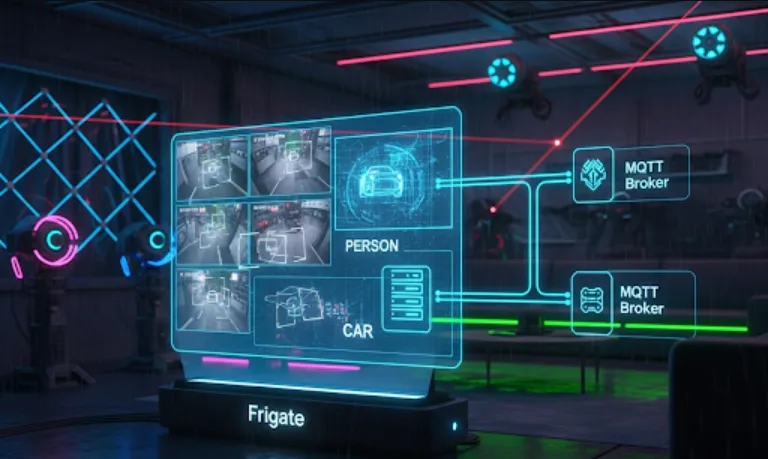
Frigate is an open-source NVR (Network Video Recorder) that utilizes AI for real-time local object detection from your IP cameras. As a software engineer, this tool is incredibly useful for building sophisticated and privacy-focused home automation systems. By performing all processing locally, it eliminates reliance on cloud services, ensuring your data stays on your network.
From a software engineering perspective, Frigate provides a powerful foundation for developing custom smart home applications. Its primary benefits include
Real-time Event Triggers
Frigate can detect objects like people, cars, and animals and send MQTT messages in real time. This allows you to create event-driven systems where a detected object triggers a specific action. For example, you can write a script that turns on an outdoor light when a person is detected at night, or sends a notification to your phone when a package is dropped off.
API Integration
Frigate exposes a REST API that you can query to get information about detected objects, snapshots, and video clips. This is perfect for building custom dashboards, mobile apps, or integrating with other services that need to access camera data.
Privacy and Control
Because all processing is done locally, there are no privacy concerns about your video feeds being sent to a third-party cloud. This gives you complete control over your data and makes it an ideal solution for security-conscious projects.
Open Source and Extensible
Being open source, you can inspect the code, customize it to your needs, and contribute to the community. This flexibility allows you to extend Frigate's functionality with custom object detectors or integrate it with specialized hardware.
Docker-based Deployment
Frigate is packaged as a Docker container, which makes it easy to deploy, manage, and scale. This aligns with modern software development practices and simplifies the setup process on various platforms like a Raspberry Pi, a mini PC, or a server.
The most common way to deploy Frigate is using Docker and Docker Compose. This method simplifies the setup and ensures all the necessary components are configured correctly.
A computer (e.g., a mini PC, server, or Raspberry Pi 4) with a compatible CPU or hardware accelerator for object detection (like a Google Coral TPU, which is highly recommended for performance).
Docker and Docker Compose installed.
One or more IP cameras that support RTSP streams.
This file defines the services Frigate needs to run.
version: "3.9"
services:
  frigate:
    container_name: frigate
    restart: unless-stopped
    ports:
      - "5000:5000" # Web UI
      - "1935:1935" # RTMP
    volumes:
      - /etc/localtime:/etc/localtime:ro
      - /path/to/frigate/config.yml:/config/config.yml
      - /path/to/frigate/media:/media/frigate
      - type: tmpfs # Optional: Use for clips to reduce SSD wear
        target: /tmp/cache
        tmpfs:
          size: 1024000000
    devices:
      - /dev/bus/usb:/dev/bus/usb # For Google Coral USB Accelerator
    environment:
      - FRIGATE_RTSP_PASSWORD=your_password
Note
You'll need to replace /path/to/frigate with the actual path on your host machine.
This file is where you define your cameras, MQTT settings, and object detection parameters.
mqtt:
  host: 192.168.1.100 # Your MQTT broker IP
  user: mqtt_user
  password: mqtt_password

detectors:
  coral:
    type: edgetpu
    device: usb

cameras:
  front_door:
    ffmpeg:
      inputs:
        - path: rtsp://user:[email protected]:554/stream1
          roles:
            - detect
            - rtmp
    detect:
      enabled: True
      width: 1280
      height: 720
      fps: 5
    objects:
      track:
        - person
        - car
        - dog
    snapshots:
      enabled: True
      timestamp: True
      bounding_box: True
    clips:
      enabled: True
      retain:
        default: 7
This example configures Frigate to
Connect to an MQTT broker.
Use a Google Coral TPU for object detection.
Monitor a camera named front_door at the specified RTSP URL.
Detect and track person, car, and dog objects.
Generate snapshots and video clips when objects are detected.
Save both files in the same directory and run the following command
docker compose up -d
This will pull the Frigate image and start the container in the background. You can then access the Frigate web UI at http://<your_server_ip>:5000.
Once Frigate is running, you can write scripts that listen for its MQTT messages. Here's a simple Python example using the paho-mqtt library.
pip install paho-mqtt
import paho.mqtt.client as mqtt

def on_connect(client, userdata, flags, rc):
    print(f"Connected with result code {rc}")
    client.subscribe("frigate/events")

def on_message(client, userdata, msg):
    print(f"Message received on topic {msg.topic}")
    payload = msg.payload.decode("utf-8")
    print(payload)

    # You can parse the JSON payload to get event details
    # For example, check if 'before' and 'after' objects exist
    # and if the object type is 'person'
    # and if the event is a new detection

client = mqtt.Client()
client.on_connect = on_connect
client.on_message = on_message

client.username_pw_set("mqtt_user", "mqtt_password")
client.connect("192.168.1.100", 1883, 60)

client.loop_forever()