The Fusion Workspace: Self-Hosting and Extending AFFiNE for Technical Teams
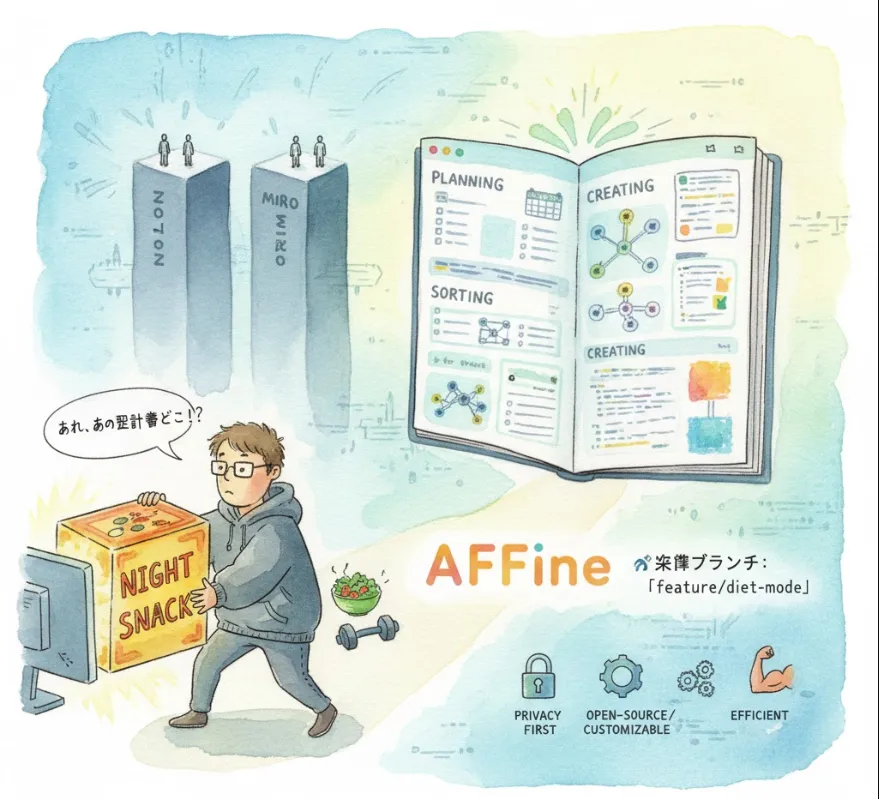
Here is an explanation of toeverything/AFFiNE from the perspective of a software engineer, including how it can be useful, implementation approaches, and a conceptual code example.
AFFiNE is an open-source, next-generation knowledge base that blends elements of document editing (like Notion) and visual whiteboarding (like Miro). For a software engineer, it's not just a tool to use, but a platform built with modern, developer-friendly technologies that you can extend and even contribute to.
| Feature | Software Engineering Benefit |
| Open-Source & Customizable | You have full access to the source code. This means you can self-host it, audit its security, debug issues, or even fork it and build custom features or integrations specific to your team's workflow (e.g., integrating with your CI/CD pipeline or ticketing system). |
| Local-First / Privacy-First | Data is primarily stored locally. This is excellent for privacy-sensitive projects or for ensuring that your documentation remains accessible even without an internet connection. It shifts the architectural burden away from a mandatory cloud service. |
| Electron-based Desktop App | The use of Electron means you get a cross-platform desktop application using familiar web technologies (JavaScript, HTML, CSS). For development, this means rapid iteration and using standard web developer tools. |
| Markdown Support | Markdown is the standard for technical documentation. AFFiNE's support for Markdown ensures that your technical notes, READMEs, and knowledge articles are easily transferable, version-controllable (via Git), and readable outside of the application. |
| Hyper-Fused Canvas | The ability to seamlessly switch between a document view (for specs, reports) and a whiteboard/Kanban view (for design sessions, task planning) on the same data helps to align technical execution with visual planning. |
| Modern Tech Stack | Components like Rust (for a scalable data engine) and yjs (for real-time collaboration using CRDTs) show a commitment to performance and modern distributed systems design. Engineers can learn from and contribute to these advanced implementations. |
Since AFFiNE is open-source, the primary way a software engineer would "introduce" or "implement" it is through self-hosting or contributing to the code base.
The most common approach for a private team knowledge base is to run your own instance. This generally involves using Docker to deploy the necessary services.
Prerequisites
Docker and Docker Compose installed on your server (a Linux VM/cloud instance is typical).
The Process (Conceptual Steps)
Clone the Repository
Get the latest source code.
git clone https://github.com/toeverything/AFFiNE.git
cd AFFiNE
Configure Environment
You would typically need to set up environment variables (like database credentials or port numbers) for the server components.
Run with Docker Compose
Use the provided Docker configuration to build and start the services.
# This is a conceptual command; refer to the official docs for the exact command
docker-compose up -d
Access
Once the containers are running, you access the knowledge base via your server's IP address and the configured port (e.g., http://your-server-ip:8080).
As a developer, you might want to integrate AFFiNE with other tools, like a ticketing system (Jira, GitHub Issues) or a deployment dashboard.
API Integration
While official APIs might evolve, since it's open-source, you can investigate the server code (which may expose REST or WebSocket endpoints) to build your own custom integration scripts or services.
Building Custom Blocks/Plugins
The platform's block-based nature suggests a future for custom components. You could develop a block that displays a live chart from your monitoring system or a list of open bugs from your issue tracker.
Let's imagine you want to create a simple GitHub Issue Tracker Block within AFFiNE that pulls data from a repository using a script.
This example is conceptual because the actual AFFiNE plugin/block API is complex and evolving, but it demonstrates the type of integration a software engineer would build.
// --- Conceptual AFFiNE Block Module (e.g., affine-github-issue-block.js) ---

// 1. Define the component that will render in the AFFiNE canvas.
const GitHubIssueBlock = (props) => {
  const { repoOwner, repoName } = props.data;
  const [issues, setIssues] = useState([]);

  useEffect(() => {
    // 2. Fetch data from an external API (GitHub)
    const fetchIssues = async () => {
      const url = `https://api.github.com/repos/${repoOwner}/${repoName}/issues?state=open&per_page=5`;
      const response = await fetch(url);
      const data = await response.json();
      setIssues(data);
    };
    fetchIssues();
  }, [repoOwner, repoName]);

  // 3. Render the fetched data in a structured format
  return (
    <div style={{ border: '1px solid #ccc', padding: '15px' }}>
      <h3>Open Issues for {repoOwner}/{repoName}</h3>
      <ul>
        {issues.map(issue => (
          <li key={issue.id}>
            <a href={issue.html_url} target="_blank" rel="noopener noreferrer">
              #{issue.number}: {issue.title}
            </a>
            <span style={{ marginLeft: '10px', fontSize: '0.8em', color: '#666' }}>
              ({issue.comments} comments)
            </span>
          </li>
        ))}
      </ul>
    </div>
  );
};

// 4. Register the block with the AFFiNE editor framework (conceptual)
// AFFINE_EDITOR.registerBlock('GitHubIssueTracker', GitHubIssueBlock);
By leveraging its open-source nature, you can create a highly customized and integrated knowledge base that truly serves your technical team's unique needs!