IPC and Packaging: Leveraging Electron for Media Utilities like ytDownloader
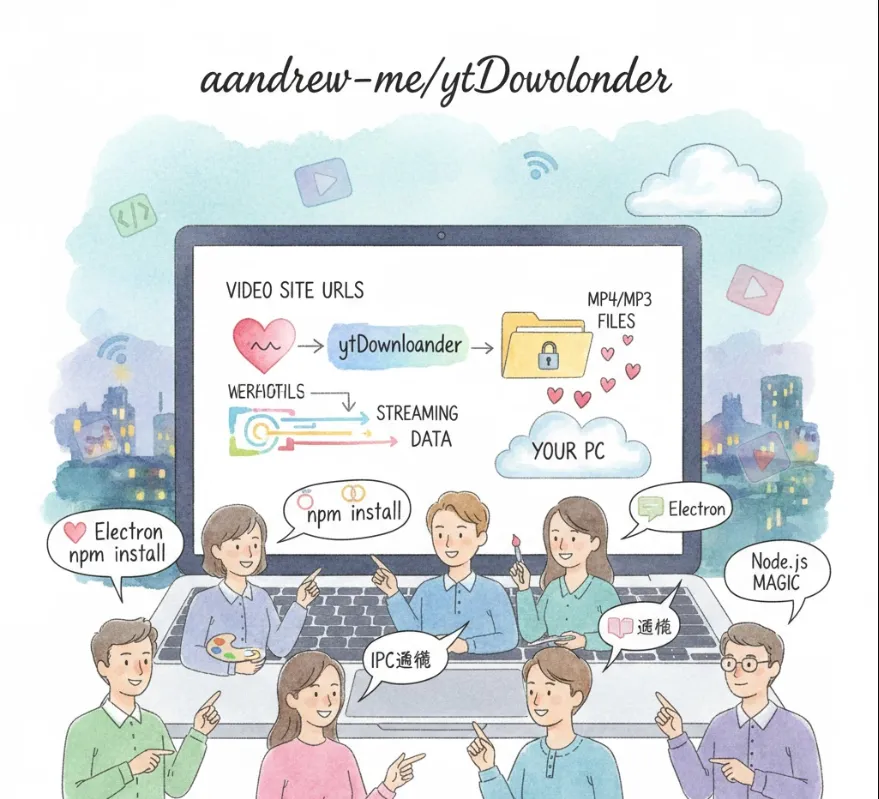
aandrew-me/ytDownloader is a Desktop Application built using Electron, Node.js, and JavaScript that allows users to download videos and audio from numerous online platforms.
For a software engineer, this project offers several valuable takeaways and potential applications, extending beyond just downloading media
This is perhaps the most significant benefit. Since it uses Electron, it showcases how you can build a single codebase (using web technologies like HTML, CSS, and JavaScript) and deploy it as a native-like application on Windows, macOS, and Linux.
Learning
It's an excellent codebase to study if you need to build your own cross-platform desktop tool, demonstrating how to handle native features (like file saving) within a web context.
The project utilizes Node.js for its backend logic. This means it leverages the vast npm ecosystem.
Practical Use
If you need to integrate a video downloading library (which is likely how the core functionality is achieved, perhaps using a tool like youtube-dl or a similar Node package), this project provides a working example of bridging the UI (Electron's renderer process) with the heavy lifting logic (Electron's main process and Node.js packages).
It provides a concrete example of a well-structured Electron application, showing the separation between
The Main Process
Handles native OS interactions, window creation, and the core Node.js logic.
The Renderer Process
The user interface (the web page) that users interact with.
Inter-Process Communication (IPC)
How the UI tells the Node.js core to start a download and how the core reports progress back to the UI.
If you're a web developer looking to move into desktop applications, this project is a perfect bridge. It uses familiar technologies (JavaScript, potentially a framework like React/Vue/Angular if the project is complex, or just vanilla JS) to solve a real-world problem.
You probably won't just "install" this for personal use, but rather study its architecture or fork it to build a custom tool.
If you're tasked with creating a new internal tool for your company—say, a desktop app to manage internal assets or automate a task—you'd look at its folder structure
Identify files related to the Main Process (e.g., main.js or similar).
Locate the Renderer Process files (the HTML/JS/CSS for the UI).
Analyze the package.json to see which Electron-specific dependencies are used.
If your goal is to build a similar utility (e.g., an app that archives company training videos, or a tool that processes media files), you could fork the project and modify it
Clone/Fork
git clone https://github.com/aandrew-me/ytDownloader.git
Install Dependencies
npm install
Replace Core Logic
Swap out the video download functionality with your specific business logic (e.g., a process that uses ffmpeg or an internal API call).
Modify UI
Change the HTML/CSS/JS in the Renderer process to match your tool's requirements.
This is crucial in Electron. You'll need to know how the UI (Renderer) requests the Main process to do a task (like starting a download) and how to send the progress back.
This is a conceptual example illustrating the communication pattern you'd find in an Electron app like this
// renderer.js (The UI logic)

const { ipcRenderer } = require('electron');

document.getElementById('download-button').addEventListener('click', () => {
    const videoUrl = document.getElementById('url-input').value;

    // Send a message to the main process to start the download
    ipcRenderer.send('start-download-request', { url: videoUrl, format: 'mp4' });

    // Listen for progress updates from the main process
    ipcRenderer.on('download-progress', (event, data) => {
        console.log(`Progress: ${data.percentage}%`);
        // Update a progress bar in the UI
    });
});
// main.js (The Node.js core logic)

const { ipcMain, BrowserWindow } = require('electron');
// Assume mainWindow is the main browser window

ipcMain.on('start-download-request', (event, args) => {
    console.log(`Received request to download: ${args.url}`);

    // --- Core Download/Business Logic runs here ---
    // (e.g., calling a Node module to fetch the media)

    // Simulate reporting progress back to the renderer
    let progress = 0;
    const interval = setInterval(() => {
        progress += 10;
        // Send a message back to the specific window that made the request
        event.reply('download-progress', { percentage: progress });

        if (progress >= 100) {
            clearInterval(interval);
            console.log('Download complete!');
        }
    }, 500);
});