"Web-Dev-For-Beginners": Essential Web Skills for Every Software Engineer
microsoft/Web-Dev-For-Beginners
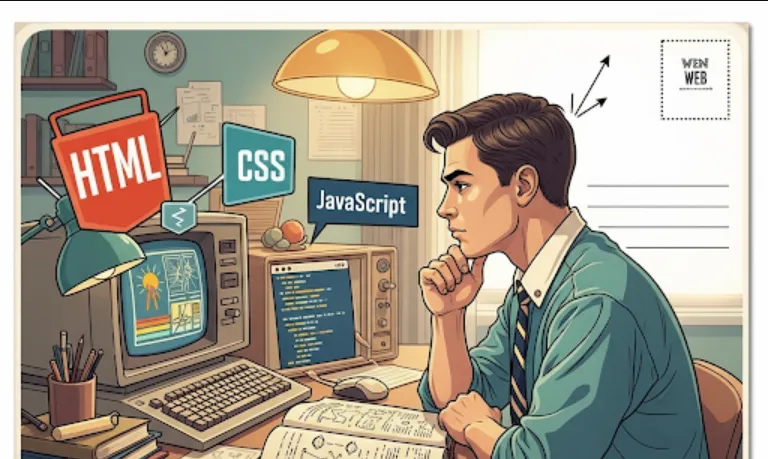
The "Web-Dev-For-Beginners" repository is a comprehensive, free, 12-week curriculum consisting of 24 lessons designed to teach the fundamentals of web development. It covers the core technologies
HTML, CSS, and JavaScript.
Here's why it's incredibly useful for software engineers
Solid Foundation in Core Web Technologies
Even if you specialize in backend development, mobile apps, or data science, understanding how the web works is crucial. This curriculum provides a strong base in the frontend triumvirate (HTML, CSS, JavaScript). You'll learn how web pages are structured (HTML), styled (CSS), and made interactive (JavaScript).
Understanding the "Full Stack"
Many software engineering roles today expect some level of "full-stack" understanding, even if you're not a full-stack developer. This course helps bridge the gap between backend logic and how it's presented to the user.
Enhancing Communication and Collaboration
When working with frontend teams, having a grasp of their tools and challenges allows for much more effective communication, better planning, and smoother collaboration.
Debugging and Problem Solving
A significant portion of software engineering involves debugging. Knowing the basics of the DOM (Document Object Model), CSS cascade, and JavaScript execution flow will significantly improve your ability to diagnose issues across the stack.
Open-Source Contribution Exposure
This is a fantastic example of a well-structured open-source project. By exploring it, you'll see best practices in documentation, lesson structuring, and community engagement. You could even contribute to it yourself!
Quick Prototyping
Need to quickly whip up a simple web interface for an internal tool or a proof-of-concept? This knowledge empowers you to do just that without relying on complex frameworks initially.
Prepares for Frameworks
Before diving into frameworks like React, Angular, or Vue.js, having a solid understanding of vanilla JavaScript, HTML, and CSS is paramount. This course builds that essential groundwork, making it easier to grasp how those frameworks abstract and build upon these core concepts.
Getting started is super straightforward! You don't need any special tools or complicated setups to begin.
Access the Repository
Simply head over to the GitHub repository
https://github.com/microsoft/Web-Dev-For-Beginners
Explore the Curriculum
On the main page of the repository, you'll see a clear "Curriculum" section. It's usually a list of markdown files, each representing a lesson. They are typically organized by week.
Click on the lessons in order. Each lesson usually includes
Learning Objectives
What you'll learn in that lesson.
Pre-lecture Quizzes
To test your existing knowledge.
The Lesson Content
Explanations, code examples, and often embedded videos or diagrams.
Assignments/Challenges
Practical exercises to solidify your understanding.
Post-lecture Quizzes
To check your comprehension.
Sketchnotes
Visual summaries of the key concepts.
Local Setup (Optional but Recommended for Practice)
While you can read everything online, to truly learn, you need to code along!
Clone the Repository (recommended if you want to run examples locally)
git clone https://github.com/microsoft/Web-Dev-For-Beginners.git
cd Web-Dev-For-Beginners
Open in a Code Editor
Use a popular code editor like VS Code (which is also from Microsoft and integrates wonderfully with web development). Open the Web-Dev-For-Beginners folder in VS Code.
Practice Each Lesson
As you go through each lesson, create new HTML, CSS, and JavaScript files in a dedicated folder (e.g., my-projects/lesson1). Type out the code examples yourself, experiment with changes, and complete the assignments. This active learning is key.
Use Your Browser's Developer Tools
This is where the magic happens! Right-click on any web page (including your own local files opened in the browser) and select "Inspect" (or similar). You'll gain access to the Elements tab (for HTML/CSS), Console (for JavaScript errors and logging), and more. This is an indispensable tool for web developers.
Since the repository is a curriculum and not a library, I'll provide a conceptual example of what you might find and how you'd practice it within the context of a lesson.
Let's imagine you're on a lesson about "Introduction to HTML & Basic Page Structure."
Lesson Objective
Understand how to create a basic HTML page with a title, heading, and paragraph.
Example Code You'd See (and then type yourself!)
<!DOCTYPE html>
<html lang="en">
<head>
    <meta charset="UTF-8">
    <meta name="viewport" content="width=device-width, initial-scale=1.0">
    <title>My First Web Page</title>
</head>
<body>
    <h1>Welcome to My Awesome Page!</h1>
    <p>This is a paragraph of text. I'm learning HTML!</p>
    <p>Isn't this exciting?</p>
</body>
</html>
How you'd use it
Save it
Save this code as index.html in a folder like my-first-web-page/.
Open in Browser
Double-click index.html from your file explorer. It will open in your default web browser, and you'll see "Welcome to My Awesome Page!" as a large heading and the two paragraphs below it.
Experiment
Change the text inside the <h1> or <p> tags. Save and refresh your browser.
Add another paragraph.
Try adding an image tag (<img>) or a link (<a>).
Open your browser's developer tools (F12 or right-click -> Inspect) and play around with the "Elements" tab to see how the HTML structure is represented.
This curriculum is an incredible starting point. Once you've completed it, you'll have a very strong understanding of the building blocks of the web. From there, you can choose to dive deeper into
JavaScript Frameworks/Libraries
React, Vue, Angular, Svelte
Backend Development
Node.js, Python (Django/Flask), Ruby on Rails, Go, Java
Databases
SQL (PostgreSQL, MySQL), NoSQL (MongoDB, Redis)
Cloud Platforms
Azure, AWS, GCP
DevOps and Deployment