A Developer's Walkthrough of the FastAPI Full-Stack Template
fastapi/full-stack-fastapi-template
At its core, the full-stack-fastapi-template is a pre-configured project that bundles a bunch of modern technologies together. Instead of setting up each piece individually—like the backend API, the frontend, the database, and deployment tools—this template provides a single, ready-to-go structure.
Think of it like a scaffold for a building. You get the foundation, the steel beams, and the basic layout all in place. All you have to do is fill in the walls and decorate the rooms. This saves you days, or even weeks, of initial setup and configuration, letting you focus on the actual features of your application.
This template is a game-changer for several reasons
Rapid Prototyping
Need to build a proof-of-concept fast? This template lets you jump straight into coding your unique logic. You don't have to worry about CORS headers, database connection strings, or setting up a build process for the frontend.
Best Practices
The template follows modern, production-ready best practices. It uses Docker for containerization, which ensures your application runs consistently across different environments. It includes GitHub Actions for CI/CD (Continuous Integration/Continuous Deployment), automating your testing and deployment process. It even handles automatic HTTPS with Let's Encrypt, which is a crucial security feature.
Unified Ecosystem
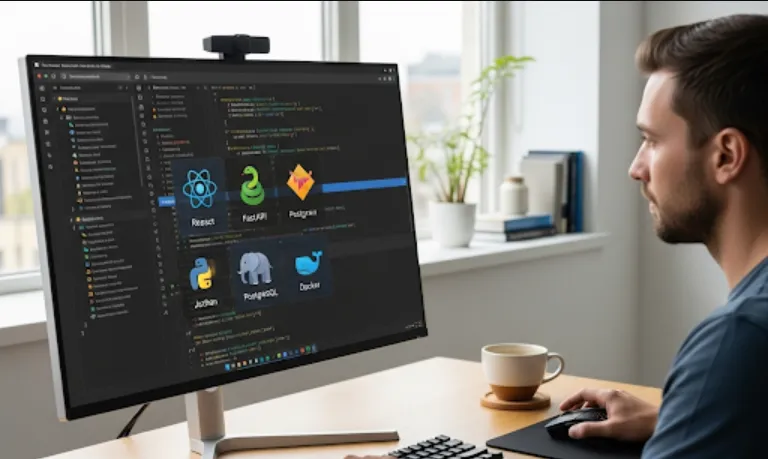
It brings together a powerful and popular stack
FastAPI (Python)
A high-performance, easy-to-use framework for building your API.
React
A popular JavaScript library for building dynamic user interfaces.
SQLModel
A modern ORM (Object-Relational Mapper) that makes it easy to interact with your PostgreSQL database using Python.
Docker Compose
Simplifies the process of running all these services (the backend, frontend, and database) together with a single command.
Security and Scalability
By using these tools, you're building an application that is inherently more secure and scalable than one you might build from scratch without these considerations.
The process is designed to be straightforward. Here’s a step-by-step guide
Prerequisites
Make sure you have Git and Docker installed on your system.
Clone the Repository
Go to the repository on GitHub and clone it to your local machine.
git clone https://github.com/tiangolo/full-stack-fastapi-template.git my-app-name
cd my-app-name
Configure Environment Variables
The template uses .env files to manage configuration. You'll need to copy the example file and fill it out with your specific details. This includes things like your database password and email server settings.
cp .env.example .env
Start the Application
The magic happens with Docker Compose. This command builds and runs all the services (backend, frontend, database) together.
docker compose up -d --build
The -d flag runs the containers in the background, and --build ensures any changes are incorporated.
Access the Application
After the containers are up and running, you can access your new application.
Frontend
http://localhost
Backend Docs (OpenAPI/Swagger UI)
http://localhost/api/docs
You can then start modifying the code in the backend and frontend directories to build your specific features!
Let's say you want to add a new endpoint to fetch a list of items.
In your backend/app/models/item.py file, you would define your data model using SQLModel.
from typing import Optional
from sqlmodel import Field, SQLModel

class ItemBase(SQLModel):
    title: str = Field(index=True)
    description: Optional[str] = Field(default=None)

class ItemCreate(ItemBase):
    pass

class ItemRead(ItemBase):
    id: int
In your backend/app/api/endpoints/items.py file, you would add a new function to your FastAPI router.
from typing import List
from fastapi import APIRouter, Depends
from sqlmodel import Session, select
from app.db import get_session
from app.models import Item, ItemRead

router = APIRouter()

@router.get("/", response_model=List[ItemRead])
def read_items(*, session: Session = Depends(get_session)) -> List[ItemRead]:
    """
    Retrieve items.
    """
    items = session.exec(select(Item)).all()
    return items
This code snippet shows how easy it is to define a GET endpoint that retrieves all items from the database. The Depends(get_session) part automatically handles the database session for you—that's a huge time-saver!