Leveraging EverShop: A Software Engineer's Guide to the TypeScript E-commerce Platform
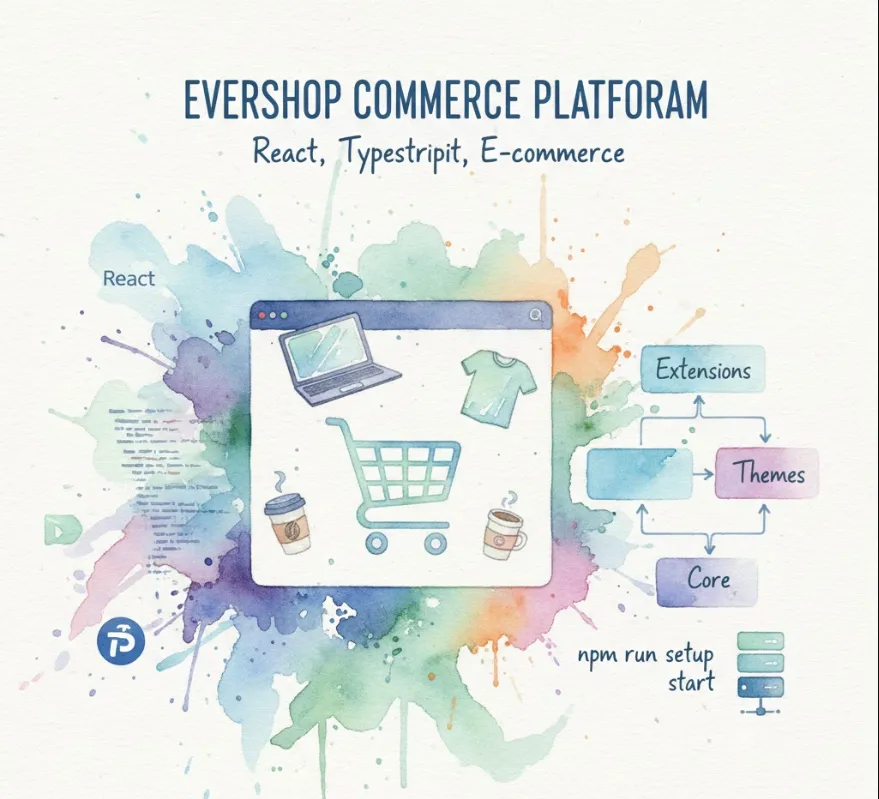
Here is a friendly and detailed breakdown of how it can be useful, along with an introduction guide and a look at sample code structure.
As a software engineer, working with EverShop provides a modern, flexible, and efficient environment.
React
EverShop uses React for the frontend, which is the industry standard for building fast, scalable user interfaces. If you're looking to build your React skills, or if you already have them, this is a great environment to work in.
TypeScript (TS)
The entire platform is built with TypeScript. This means fewer runtime errors and better code maintainability through static typing. For complex e-commerce logic, TS provides the safety and clarity needed for large projects.
Monorepo Structure (likely)
While not explicitly stated, open-source projects often use a monorepo approach, which helps manage different packages (like core, extensions, and themes) efficiently, improving code sharing and consistency.
Modular Architecture
EverShop is designed to be highly modular. This means you can add, remove, or modify features without having to change the core code. This is perfect for building custom e-commerce solutions for different clients or business needs.
Extension System
It provides a clear extension system, allowing you to easily develop new functionalities (like payment gateways, shipping methods, or custom reports) and plug them into the existing platform. This teaches you best practices for building scalable software architecture.
Learning Opportunity
Working with EverShop gives you experience on both the frontend (React/TS) for the customer interface and the backend (likely Node.js/TS with a database like PostgreSQL or MySQL) for managing products, orders, and users. It’s a complete system, offering valuable full-stack development experience.
Getting EverShop up and running usually involves a few straightforward steps, common to most modern Node.js-based applications.
Make sure you have the following installed
Node.js
A recent LTS version (e.g., 18 or 20).
npm or yarn
A package manager (npm is standard with Node.js).
A Database
EverShop likely requires a database like MySQL or PostgreSQL to store e-commerce data.
Here's the general flow for setting up a new project
Create a Project Directory
mkdir my-evershop-store
cd my-evershop-store
Initialize the Project
Since it's an e-commerce platform, it often has a CLI (Command Line Interface) tool or a specific command to create a new project. Let's assume a typical create-app command
# This is an assumption based on similar platforms, check their official documentation for the exact command
npx create-evershop-app@latest .
Install Dependencies
npm install
Configure Environment
You'll need to create or edit an environment file (like .env) to configure your database connection and other settings.
# Example .env content (details will vary)
DATABASE_URL=mysql://user:password@localhost:3306/evershop_db
APP_KEY=some_long_random_string
Run Setup/Migration
Often, you need a command to set up the database schema and add initial data.
npm run setup
Start the Server
npm start
# or
npm run dev # for development mode
Your shop should now be accessible in your web browser, typically at http://localhost:3000.
Since EverShop is modular, let's look at how you'd interact with an Extension. This is the primary way to customize the shop.
Imagine you want to create a small extension called hello_world that adds a simple message to the footer.
A typical extension might look like this
extensions/
└── hello_world/
    ├── config.json         # Extension metadata
    ├── index.js            # Main entry point for backend logic
    ├── pages/
    │   └── Footer/
    │       └── Component.tsx # React component for the frontend
    └── hooks/
        └── useHelloWorld.ts  # Custom hooks or utility functions
This is a simple React component that would be injected into a specific "slot" (like the footer).
// extensions/hello_world/pages/Footer/Component.tsx

import React from 'react';
import { useConfig } from '@evershop/ui'; // Example of an EverShop UI hook

/**
 * A simple component to display a custom greeting in the footer.
 * @returns {JSX.Element}
 */
const HelloWorldFooter: React.FC = () => {
  // Imagine getting a setting from the backend configuration
  const config = useConfig('hello_world');
  const greeting = config.customMessage || "Welcome to our EverShop store!";

  return (
    <div style={{ textAlign: 'center', padding: '10px', backgroundColor: '#f5f5f5' }}>
      <p style={{ margin: 0, color: '#333', fontWeight: 'bold' }}>
         {greeting} Built with EverShop!
      </p>
    </div>
  );
};

export default HelloWorldFooter;
On the backend, you use the platform's API to register your component to an existing frontend slot.
// extensions/hello_world/index.js

const { hook } = require('@evershop/core'); // Assuming an EverShop core module

/**
 * Register the Hello World component to the 'footer_middle' area.
 */
module.exports = () => {
  hook.addFilter('footer_middle', (components) => {
    // Add our React component to the list of components that render in the footer_middle slot
    components.push({
      component: 'hello_world/pages/Footer/Component', // The path to the React component
      sortOrder: 10, // Control where it appears relative to others
    });
    return components;
  });
};