Beyond Containers: An Introduction to Firecracker MicroVMs
firecracker-microvm/firecracker
Imagine you're building a serverless platform, or you just need to run some code in a very isolated, very fast way. You could use containers, but sometimes you need a stronger security boundary than what a container provides. On the other hand, traditional virtual machines (VMs) are super secure, but they are often slow to boot up and require a lot of resources.
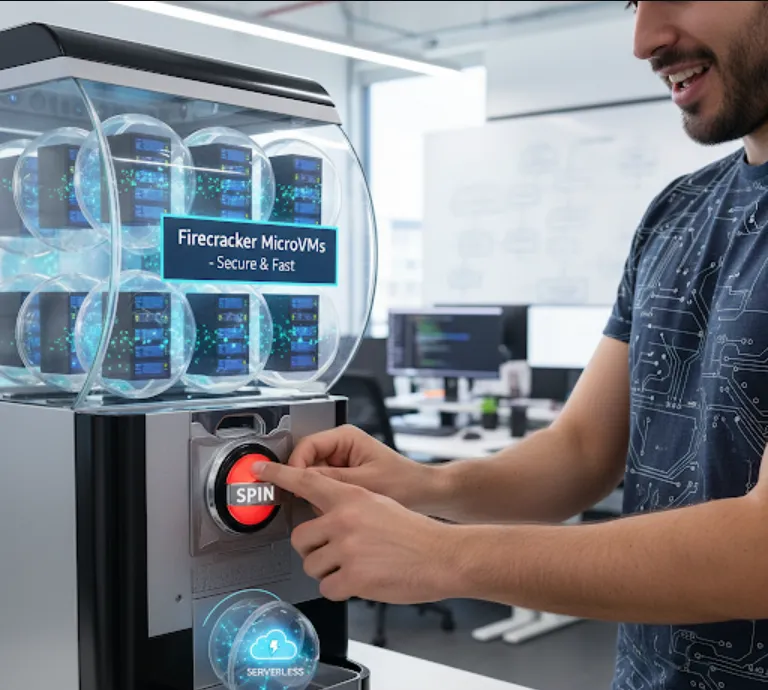
This is where Firecracker comes in. It's a Virtual Machine Monitor (VMM) that focuses on running microVMs. Think of a microVM as a super lightweight, purpose-built VM. Firecracker's key features, which are a big deal for us software engineers, are
Security
It provides a strong isolation boundary using hardware virtualization. This is a step up from containers, making it ideal for multi-tenant environments where you're running untrusted code from different users.
Speed
MicroVMs boot up in a fraction of a second. This "sub-second boot time" is critical for serverless functions, as it means your code can start executing almost instantly after a request arrives.
Low Overhead
Firecracker has a minimal memory footprint and very low resource consumption. This allows you to run a huge number of microVMs on a single machine, maximizing your resource utilization and reducing costs.
Minimal Attack Surface
It's written in Rust, which helps prevent many common memory-related security vulnerabilities. Furthermore, Firecracker is intentionally minimalistic, exposing only the essential virtual devices needed to run a guest operating system. This "minimalist design" means there are fewer things for an attacker to exploit.
From a software engineering standpoint, Firecracker is a game-changer for building secure, high-density, and highly responsive serverless and edge computing platforms.
Getting started with Firecracker involves a few steps. You'll need a Linux environment and some dependencies. The main idea is to prepare a disk image for your guest OS and then use the Firecracker API to launch the microVM.
First, you'll need to get Firecracker. The easiest way is to download a pre-built binary.
# Set the desired version
FIRECRACKER_VERSION="1.4.0"

# Download the Firecracker binary
curl -o firecracker \
  -L "https://github.com/firecracker-microvm/firecracker/releases/download/v${FIRECRACKER_VERSION}/firecracker-v${FIRECRACKER_VERSION}-x86_64"

# Make it executable
chmod +x firecracker
You'll need a kernel image and a root filesystem image for your microVM. You can use a tool like buildroot to create a tiny, custom Linux distribution. For a quick start, you can download pre-built images.
# Download a pre-built kernel image
curl -O https://s3.amazonaws.com/spec.ccfc.min/img/hello/kernel/vmlinux.bin
# Download a pre-built root filesystem image
curl -O https://s3.amazonaws.com/spec.ccfc.min/img/hello/fs/firecracker-hello-world.ext4
Firecracker exposes a RESTful API via a UNIX domain socket. You interact with it by sending HTTP requests. Here's how you'd launch a microVM using curl.
First, start the Firecracker process, telling it to listen for API requests on a socket
./firecracker --api-sock /tmp/firecracker.sock
Now, in another terminal, you can send HTTP requests to the socket.
Step 3.1
Configure the MicroVM
You need to tell Firecracker what kernel and filesystem to use, as well as how many virtual CPUs and how much memory to allocate.
# Configure the kernel
curl -X PUT --unix-socket /tmp/firecracker.sock "http://localhost/boot-source" \
  -H "Accept: application/json" \
  -H "Content-Type: application/json" \
  -d '{
      "kernel_image_path": "./vmlinux.bin",
      "boot_args": "console=ttyS0 reboot=k panic=1 pci_passthrough=off"
    }'

# Configure the root filesystem
curl -X PUT --unix-socket /tmp/firecracker.sock "http://localhost/drives/rootfs" \
  -H "Accept: application/json" \
  -H "Content-Type: application/json" \
  -d '{
      "drive_id": "rootfs",
      "path_on_host": "./firecracker-hello-world.ext4",
      "is_root_device": true,
      "is_read_only": false
    }'

# Configure virtual CPUs and memory
curl -X PUT --unix-socket /tmp/firecracker.sock "http://localhost/machine-config" \
  -H "Accept: application/json" \
  -H "Content-Type: application/json" \
  -d '{
      "vcpu_count": 1,
      "mem_size_mib": 128
    }'
Step 3.2
Start the MicroVM
Finally, tell Firecracker to start the VM.
curl -X PUT --unix-socket /tmp/firecracker.sock "http://localhost/actions" \
  -H "Accept: application/json" \
  -H "Content-Type: application/json" \
  -d '{
      "action_type": "InstanceStart"
    }'
After this, you should see the hello-world microVM boot up in the first terminal where you started the Firecracker process!
Using curl is great for demonstration, but in a real application, you'd use a programming language to interact with the API. Here's a quick Python example using the requests library to do the same thing.
import requests
import json
import os

API_SOCKET = '/tmp/firecracker.sock'
FIRECRACKER_BIN = './firecracker'

# Ensure the socket doesn't exist from a previous run
if os.path.exists(API_SOCKET):
    os.remove(API_SOCKET)

# Start the Firecracker process in the background
# In a real-world scenario, you'd manage this process more robustly
firecracker_process = os.spawnlp(os.P_NOWAIT, FIRECRACKER_BIN, FIRECRACKER_BIN, '--api-sock', API_SOCKET)

# Give Firecracker a moment to start up
import time
time.sleep(0.5)

# The base URL for the API
api_url = f"http://localhost"
session = requests.Session()
session.headers.update({'Content-Type': 'application/json'})

# Step 1: Configure the machine
session.put(f'{api_url}/machine-config',
    json={
        'vcpu_count': 1,
        'mem_size_mib': 128
    },
    unix_socket_path=API_SOCKET
)

# Step 2: Configure the kernel
session.put(f'{api_url}/boot-source',
    json={
        'kernel_image_path': './vmlinux.bin',
        'boot_args': 'console=ttyS0 reboot=k panic=1 pci_passthrough=off'
    },
    unix_socket_path=API_SOCKET
)

# Step 3: Configure the root filesystem
session.put(f'{api_url}/drives/rootfs',
    json={
        'drive_id': 'rootfs',
        'path_on_host': './firecracker-hello-world.ext4',
        'is_root_device': True,
        'is_read_only': False
    },
    unix_socket_path=API_SOCKET
)

# Step 4: Start the microVM
response = session.put(f'{api_url}/actions',
    json={
        'action_type': 'InstanceStart'
    },
    unix_socket_path=API_SOCKET
)

print(f"Firecracker instance started! Status: {response.status_code}")

# Note: The microVM output will appear in the terminal where the firecracker process is running.
# The process will run until you terminate it.