The Developer's Toolkit for Qwen-Agent: Integration, RAG, and Code Interpretation
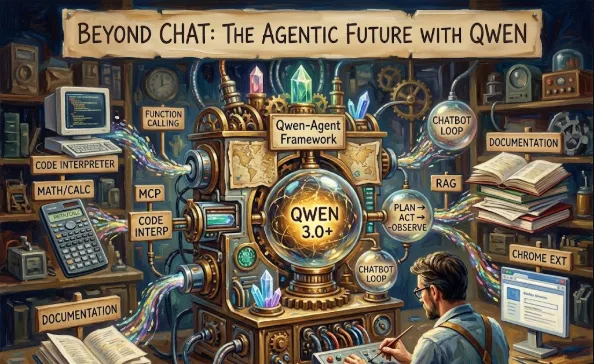
Qwen-Agent is a powerful framework designed to bridge the gap between a raw model and a functional, tool-using application. Think of it as the "batteries-included" toolkit for building production-ready agents using the Qwen series.
As an engineer, you don't just want a chatbot; you want a system that can execute. Here’s how this framework levels up your workflow
Standardized Tool Use
It abstracts the complexity of Function Calling. You define the schema, and the agent handles the "reasoning" of when to call it.
Built-in Code Interpreter
This is a game-changer for data science or automation tasks. The agent can write and execute Python code in a sandboxed environment to solve complex math or generate charts.
MCP Support
By supporting the Model Context Protocol, it stays compatible with the latest industry standards for connecting AI to data sources and tools.
RAG Ready
It has native hooks for Retrieval-Augmented Generation, meaning you can feed it your documentation or codebase without blowing up the context window.
First, you'll want to get the environment ready. It's a standard Python setup
pip install -U "qwen-agent[gui,code_interpreter,rag]"
Let's look at a simple implementation. Imagine you want an agent that can search the web and then write a summary.
import asyncio
from qwen_agent.agents import Assistant
from qwen_agent.tools.base import BaseTool

# 1. Define a custom tool (Optional - Qwen has many built-in)
class MyCustomSearch(BaseTool):
    def call(self, params: str, **kwargs):
        # Your logic to call a search API would go here
        return f"Search results for: {params}"

# 2. Initialize the Agent
def task_assistant():
    # You can point this to a local Qwen endpoint or their Cloud API
    llm_cfg = {
        'model': 'qwen-max',
        'model_server': 'dashscope',
        'api_key': 'YOUR_API_KEY',
    }

    system_instruction = '''You are a helpful software engineering assistant.
    Use the provided tools to help the user with technical research.'''

    # We add the "code_interpreter" tool by default
    tools = ['code_interpreter', 'image_gen']

    bot = Assistant(llm=llm_cfg,
                    system_message=system_instruction,
                    function_list=tools)

    # 3. Run the Agent
    messages = [{'role': 'user', 'content': 'Calculate the Fibonacci sequence up to the 10th digit using Python and explain it.'}]

    for response in bot.run(messages=messages):
        print(response)

if __name__ == '__main__':
    task_assistant()
State Management
If you are building a web app (like with the included Chrome extension logic), keep an eye on how Qwen-Agent handles history. It uses a structured message list that makes it easy to integrate with databases like Redis.
Streaming
The framework supports streaming responses natively. For a snappy UI/UX, always use the generator pattern shown in the bot.run() example above.
Local vs. Cloud
Since Qwen is open-source, you can run the backend via vLLM or Ollama on your own infrastructure and just point the model_server URL to your local host. This is huge for data privacy!
Qwen-Agent isn't just a wrapper; it's a structural foundation. It handles the "thinking" loop (Plan -> Act -> Observe) so you can focus on building the features that actually matter to your users.