Software Engineer's Guide to Lissy93/web-check: Security, Privacy, and OSINT
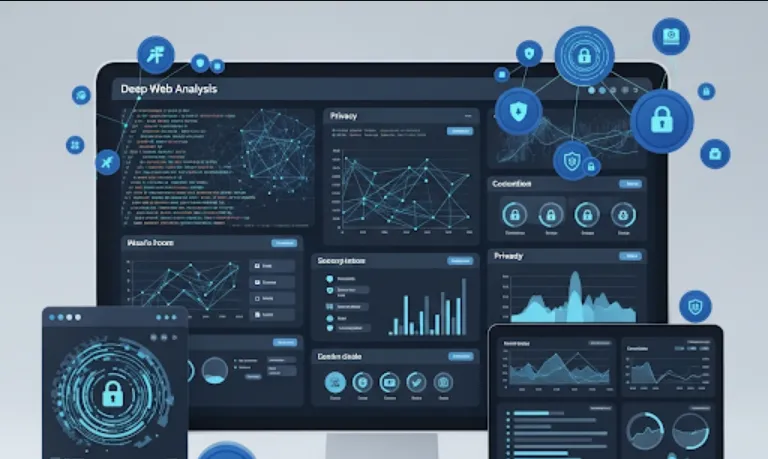
Imagine having a Swiss Army knife for website analysis right at your fingertips. That's essentially what web-check is – an all-in-one OSINT (Open-Source Intelligence) tool designed to help you analyze any website from a security, privacy, and general information perspective.
As software engineers, we're constantly building, deploying, and maintaining web applications. Here's how web-check can become an invaluable part of your toolkit
Security Audits & Vulnerability Identification
Before deploying a new feature or even during regular maintenance, you can use web-check to quickly scan for common security misconfigurations, outdated technologies, or potentially vulnerable libraries. This proactive approach helps you catch issues before they become critical.
Privacy Compliance Checks
With increasing regulations like GDPR and CCPA, understanding how a website handles user data is crucial. Web-check can help you identify trackers, analyze cookie policies, and generally assess the privacy posture of a site you're working on or integrating with.
Competitor Analysis & Research
Curious about the tech stack of a competitor's website? Or perhaps you need to research a third-party API you're considering integrating? Web-check can reveal valuable insights into their infrastructure, technologies used, and even public records associated with the domain.
Troubleshooting & Debugging
When something goes wrong with a website you're working on, web-check can provide a quick overview of its DNS records, server information, and other network-related details, helping you narrow down the source of the problem.
Domain Information & Ownership
Need to verify the ownership of a domain or understand its registration details? Web-check can fetch WHOIS information, giving you critical details for due diligence or investigative purposes.
Educational Tool
For junior engineers or those new to web security, exploring the output of web-check on various websites can be a fantastic way to learn about different web technologies, security headers, and common vulnerabilities.
Getting web-check up and running is quite straightforward. It's primarily a command-line interface (CLI) tool, but it also has a web-based interface for easier interaction.
You'll need Node.js and npm (Node Package Manager) installed on your system. If you don't have them, you can download them from the official Node.js website
https://nodejs.org/
You can install web-check globally using npm, which makes it accessible from anywhere in your terminal
npm install -g @lissy93/web-check
Alternatively, if you prefer to use it within a specific project, you can install it as a local dependency
cd your-project-directory
npm install @lissy93/web-check
For a more user-friendly experience, you can run the web-based interface
web-check serve
After running this command, open your web browser and navigate to http://localhost:8080 (or whatever port it tells you it's running on). You'll be presented with a clean interface where you can simply enter a URL and hit "Check!" to get a comprehensive report.
If you prefer scripting or quick checks, the CLI is powerful
web-check --help
This will show you all the available options and commands.
While web-check is primarily a standalone tool, you can integrate its functionality into your scripts or workflows.
Let's say you want to quickly check the security headers of your new project, myawesomeapp.com
web-check myawesomeapp.com
This will output a comprehensive report directly in your terminal, including details about technologies, security headers, DNS records, and more.
For further analysis or to integrate into other tools, you might want to save the output in a machine-readable format
web-check myawesomeapp.com --output report.json
This will save the entire report to report.json in the current directory. You can then parse this JSON file with your favorite programming language.
If you're only interested in certain aspects, you can specify them. For instance, to just get WHOIS information and detected technologies
web-check example.com --modules whois,tech
Let's say you want to automatically run a web-check scan on a list of your company's websites every night and store the results. You could write a simple Node.js script
First, make sure web-check is installed locally in your project
npm init -y
npm install @lissy93/web-check
Then, create a file named daily-scan.js
const { WebCheck } = require('@lissy93/web-check'); // Assuming web-check can be imported this way based on its structure
const fs = require('fs');

async function runDailyScans() {
    const websites = [
        'https://www.yourcompany.com',
        'https://blog.yourcompany.com',
        'https://dev.yourcompany.com'
    ];

    for (const url of websites) {
        console.log(`Scanning ${url}...`);
        try {
            const results = await WebCheck.run(url); // This might vary based on the exact internal API of web-check
            const filename = `${url.replace(/[^a-zA-Z0-9]/g, '_')}_scan_report.json`;
            fs.writeFileSync(filename, JSON.stringify(results, null, 2));
            console.log(`Report for ${url} saved to ${filename}`);
        } catch (error) {
            console.error(`Error scanning ${url}:`, error);
        }
    }
}

runDailyScans();
Note
The exact way to programmatically interact with web-check's core logic (e.g., WebCheck.run(url)) might depend on its internal API. You might need to look at the lissy93/web-check source code or documentation to confirm the best way to integrate it into a Node.js script for direct programmatic usage, rather than just calling the CLI. However, for most use cases, calling the CLI command from your script and parsing its output is often sufficient and simpler.