Seamless Video Translation and Dubbing for Developers Using VideoLingo
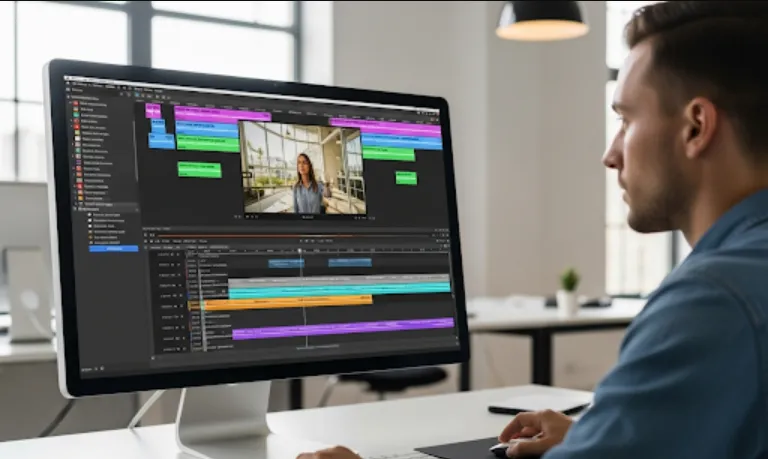
VideoLingo is a powerful AI tool designed to automate the entire video localization process. It's a game-changer for anyone who needs to translate, subtitle, and even dub video content. It handles everything from segmenting the video's audio into sensible chunks to generating synchronized subtitles and even creating a new dubbed audio track.
As a software engineer, you can leverage VideoLingo in several ways
Building Localization Pipelines
You could integrate VideoLingo into a larger pipeline for automating the localization of video-based products, such as online courses, marketing materials, or training videos. This saves an immense amount of manual effort and time.
Creating a Service
Imagine building a service that takes a video file as input and outputs a fully localized version. VideoLingo could be the core engine of this service, handling the heavy lifting of translation and dubbing.
Automating Content Management
For platforms that rely on user-generated content, you could use VideoLingo to automatically generate subtitles in multiple languages, making the content accessible to a global audience without requiring the creator to do any extra work.
Testing and Prototyping
If you're building a new feature that involves video, you could use VideoLingo to quickly generate a localized version for testing purposes, allowing you to focus on the core functionality of your feature.
The primary way to use VideoLingo is through its command-line interface (CLI). This makes it perfect for scripting and integrating into automated workflows.
Installation
Since it's a Python-based tool, you can install it using pip. You'll likely need to install some dependencies first. The project's documentation should provide the exact commands.
# You might need to install these first
pip install torch torchaudio ffmpeg-python

# Then install the VideoLingo package
pip install VideoLingo
Configuration
The tool will likely require some configuration, such as API keys for translation services (like OpenAI or others). You'll need to set these up in a config file or as environment variables.
Command Line Usage
The core of using the tool is running commands from your terminal. The basic command would look something like this
videolingo --input_video "path/to/your/video.mp4" --target_lang "ja"
This command tells the tool to take an input video and localize it into Japanese (ja).
You can also use VideoLingo as a Python library within your own scripts and applications. This gives you more control and allows you to integrate it more deeply.
Here's a simple Python script that takes a video and generates translated subtitles.
from VideoLingo import VideoLingo
import os

# Set up your configuration (e.g., API keys)
config = {
    "openai_api_key": os.getenv("OPENAI_API_KEY")
}

# Create a VideoLingo instance
vl = VideoLingo(config=config)

# Define input and output paths
input_video = "path/to/your/video.mp4"
output_dir = "localized_output"

# Run the localization process
# This will generate subtitle files (.srt, .vtt)
# and a translated transcription file.
vl.process(input_video=input_video, target_lang="ja", output_dir=output_dir)

print(f"Localization complete. Files saved to {output_dir}")
If you want to go a step further and generate a completely new dubbed audio track, you can use a similar approach.
from VideoLingo import VideoLingo
import os

config = {
    "openai_api_key": os.getenv("OPENAI_API_KEY"),
    "tts_engine": "openai", # Specify a Text-to-Speech engine
    "speaker_id": "male_voice_1" # Specify a voice
}

vl = VideoLingo(config=config)

input_video = "path/to/your/video.mp4"
output_dir = "dubbed_output"

# The dubbing parameter tells the tool to generate a new audio track.
# The `dubbing_only` flag can be used if you don't need subtitles.
vl.process(input_video=input_video, target_lang="ja", output_dir=output_dir, dubbing=True)

print(f"Video dubbed and saved to {output_dir}")
VideoLingo is a fantastic tool for any software engineer dealing with video content. By treating the localization process as a programmatic task, you can build scalable, automated systems that save time and resources. The tool's CLI and Python library make it easy to integrate into existing projects, allowing you to focus on building great features while it handles the complex parts of video translation and dubbing.